
v9.10.9 · ESP32-S3 · 16 MB
IMMORTAL-S3
A pocket-sized wireless research platform. WiFi · BLE · Sub-GHz · IR · BadUSB · AI · OLED.
● Web Flasher
ESP32-S3
Chrome / Edge
~30 seconds
Install IMMORTAL-S3
Plug your board into a USB data port, then click below.
How to flash
Three steps. No IDE, no Python, no drivers on most systems.
Plug in the board
Use a USB data cable. If nothing appears, enter download mode with BOOT/IO0.
Click INSTALL
Pick the serial port and let the flasher write and verify the image.
Open the local dashboard
After boot, connect to the device's local network and open its dashboard.
Features
Everything is designed to run locally on the board.
WiFi
- Network reconnaissance
- Wireless testing features
- Packet monitoring
- Station mode
Bluetooth LE
- BLE scanning
- Bluetooth research features
Sub-GHz · IR
- NRF24L01+ research features
- Infrared remote testing
BadUSB
- DuckyScript editor
- Save and validation
AI Assistant
- Gemini integration
- Runtime API key
- Scrollable history
Web Dashboard
- Live OLED mirror
- Virtual controls
- Theme uploader
OLED UI
- Animated menu
- Custom themes
- Games and QR codes
System
- Persistent settings
- Storage browser
- Reboot controls
Screenshots
Drop PNGs into docs/assets/screenshots/.
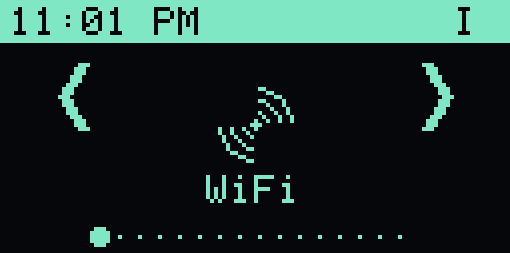
OLED main menuanimated
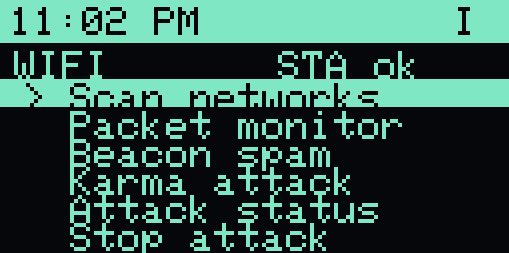
WiFi scanlive
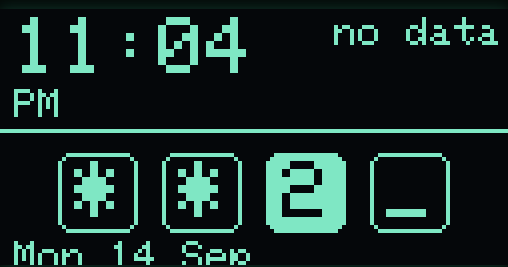
Lock screenPIN
Web dashboardmirror
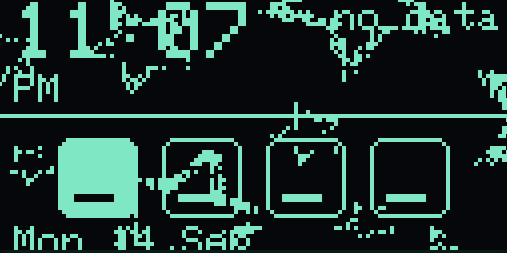
Theme uploaderdither
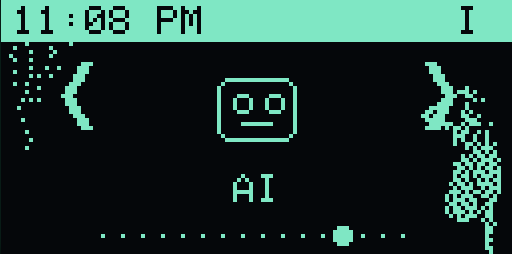
Custom theme1-bit
Hardware
Minimum build: ESP32-S3 + OLED.
| Component | Pin / Notes |
|---|---|
| ESP32-S3 DevKit | 16 MB flash, PSRAM recommended |
| SSD1306 OLED 128×64 | I²C — 0x3C / 0x3D |
| Buttons ×3 | GPIO 0 · GPIO 1 · GPIO 2 — active low |
| Buzzer | GPIO 3 |
| IR LED | GPIO 4 |
| NRF24L01+ | SCK 12 · MISO 13 · MOSI 11 · CSN 10 · CE 5 |
| WS2812 RGB | GPIO 48 |
Legal notice
For authorized security testing, education, and research only.
Do not use wireless, USB, credential, phishing, or device-testing functions against systems you do not own or have explicit permission to test.